
Domain
The settings in this section are mainly used for Packaging Domain Name and Domain for Landing Page
Step 1 - Create Add Domain Name
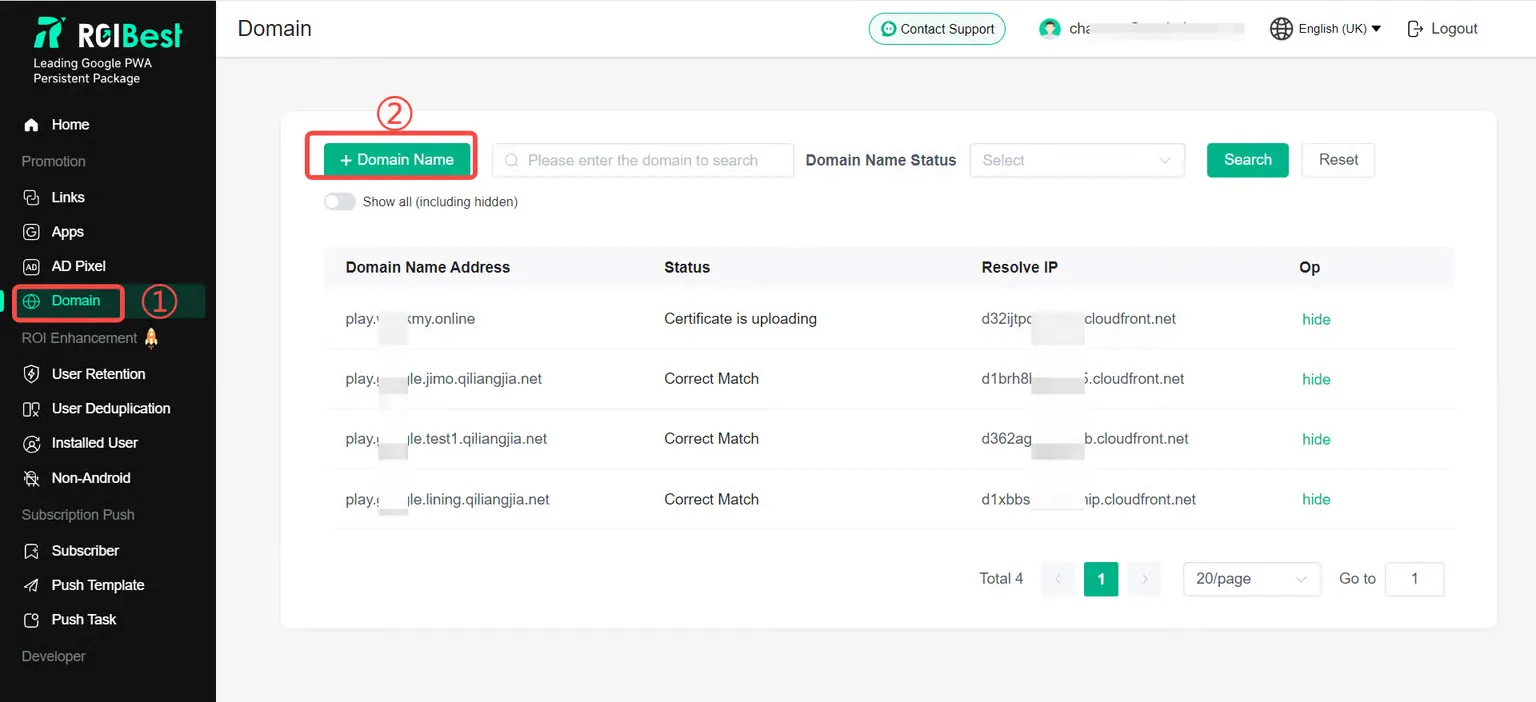
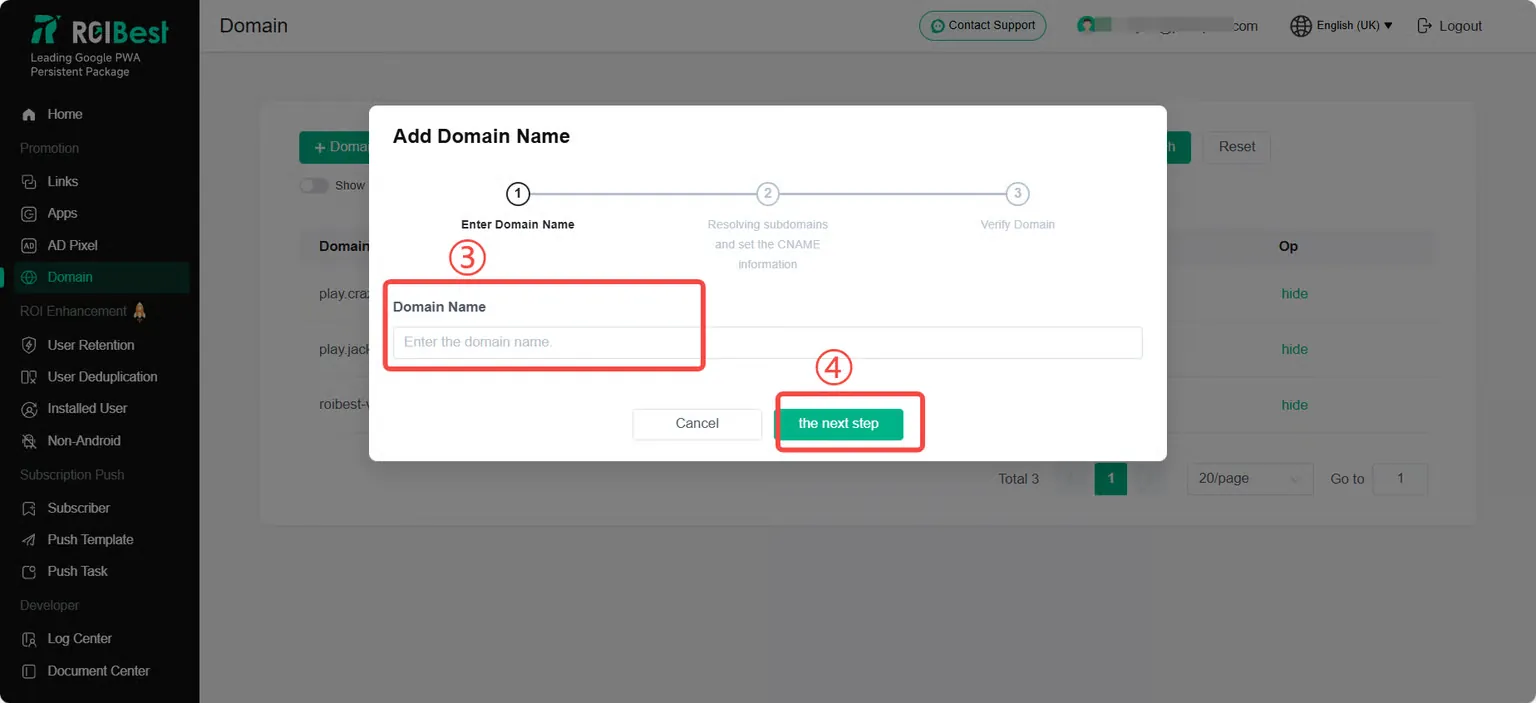
Click to enter the [Domain ] page, and click [+Domain Name] to fill in the domain name; for example: jackpwa.world, there is no need to include http://;
Step 2- DNS
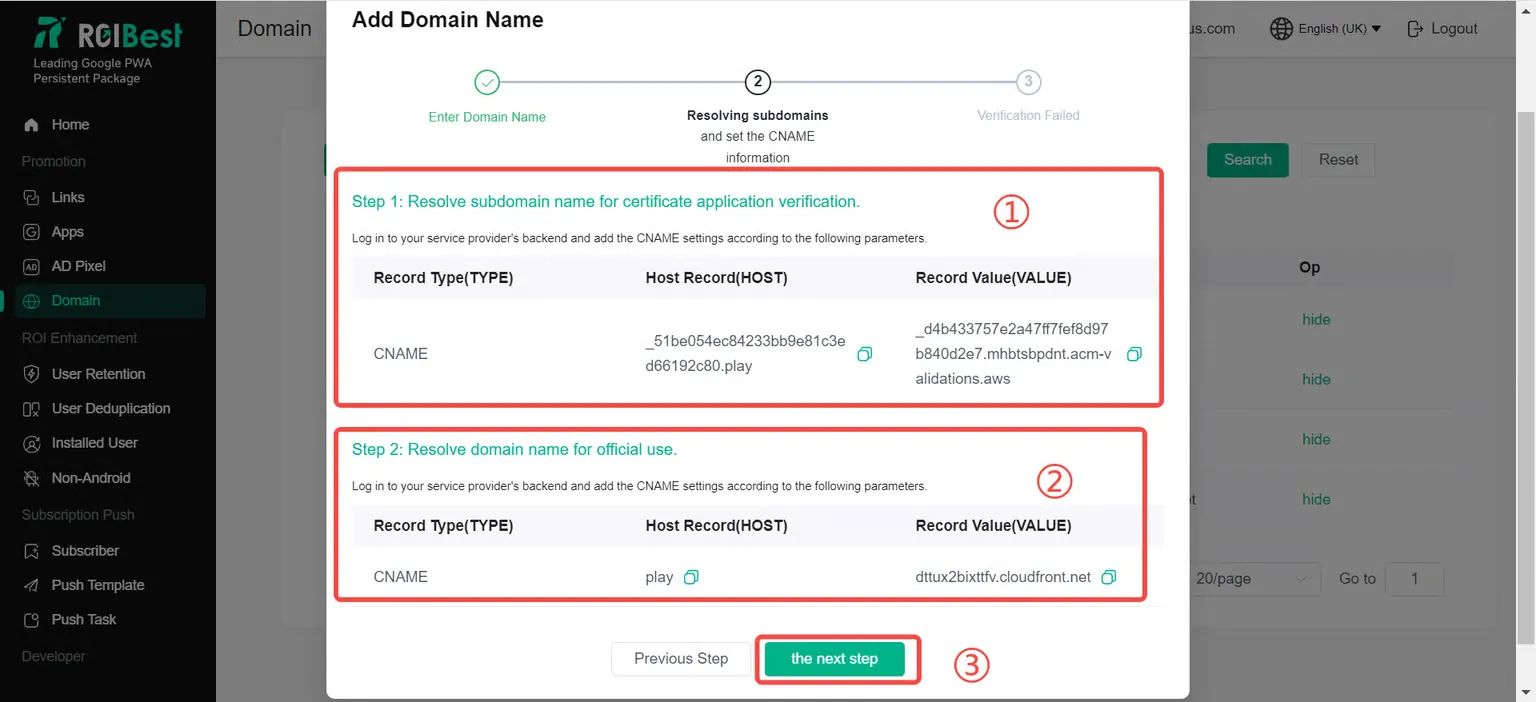
Copy the following host record (HOST) and record class value (VALUE) respectively, fill in the domain name operator backend and operate the parsing operation. After the parsing is successful, click [the next step] on the page;
Step 3- Domain name detection
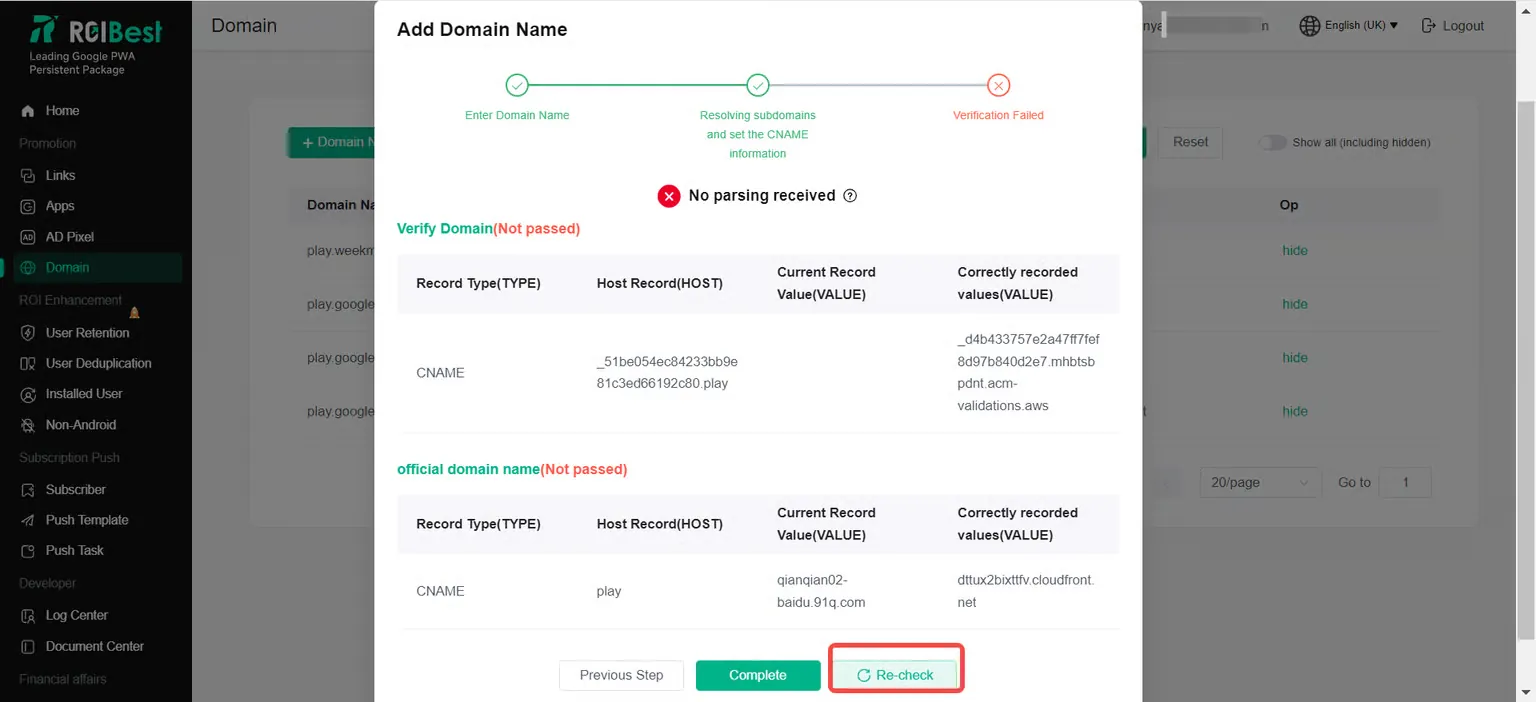
The page shows that the verification is successful. Click [Finish] to complete the domain name configuration;
The page displays [No parsing received]. Please check whether the domain name is resolved successfully. This is generally related to the domain name resolution time limit (ranging from 10min to 24h) or the region. For details, please consult the domain name operator; it is recommended to wait for 10 minutes and click [Recheck];