TikTok FAQ
Please check here for possible problems you may encounter when configuring TikTok distribution channels.
Step 1 - Log in to TikTok Ads
TikTok backend login URL: https://ads.tiktok.com/i18n/dashboard , please log in with your business promotion account;
Step 2 - Create and obtain PixelCode
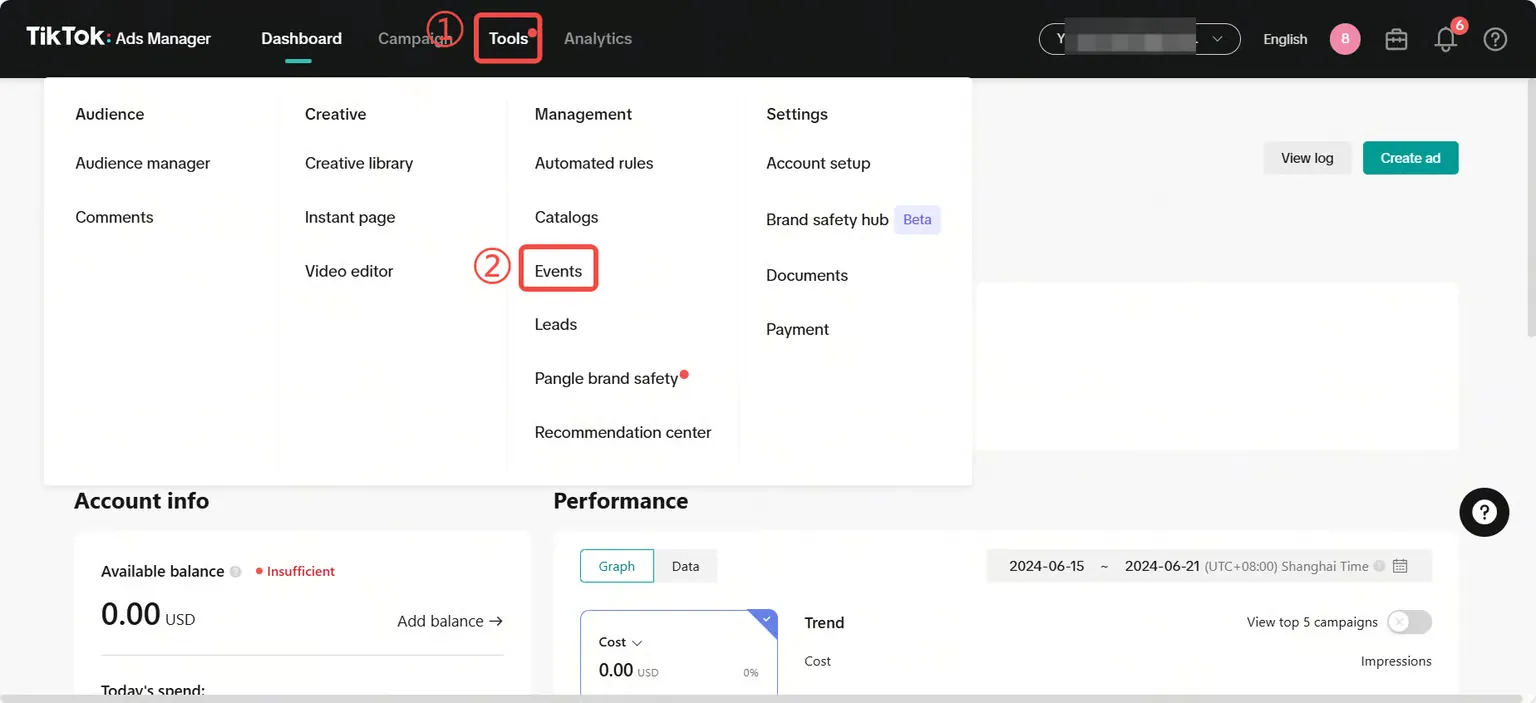
Select [Tools] ,and then select [Events] ;
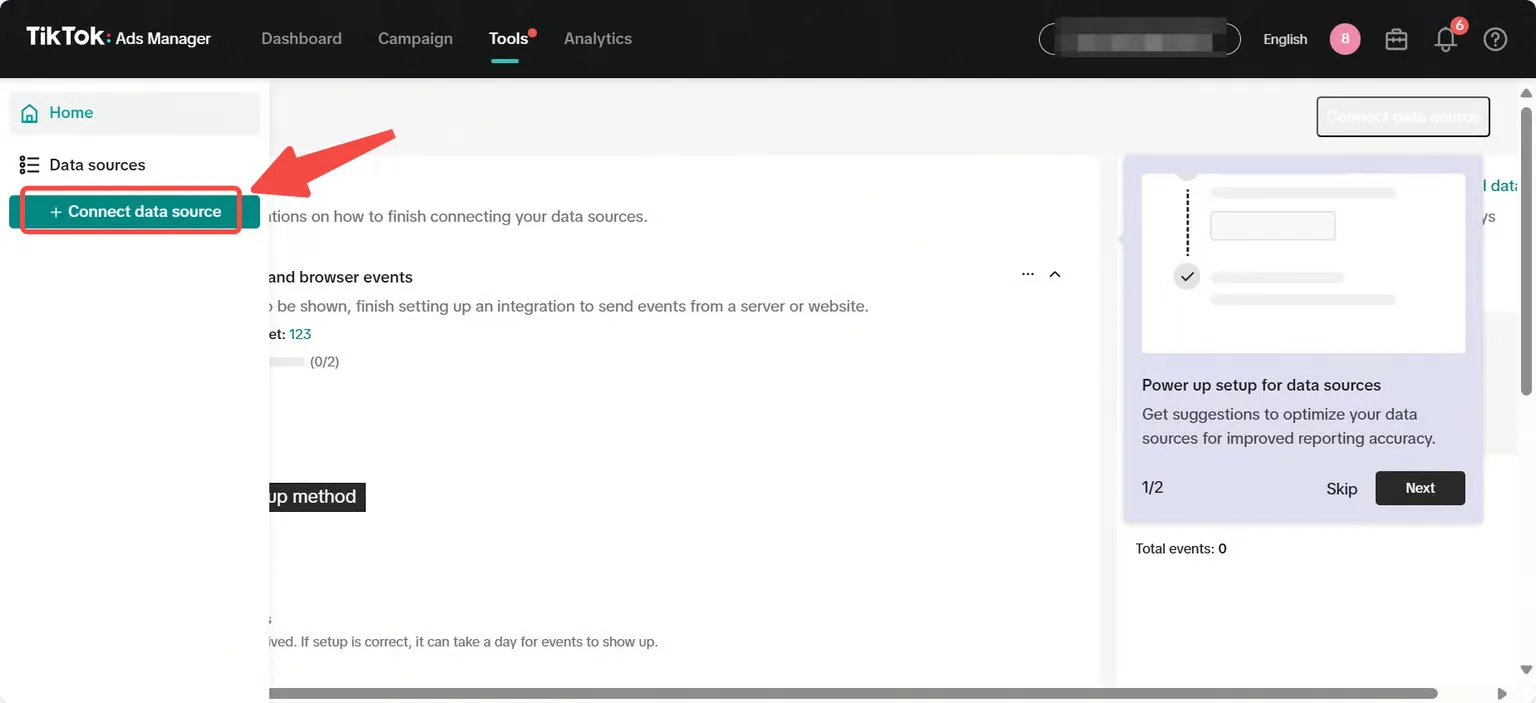
Select [+connect Data Source] → [Web] → [Manual Setup], follow the page settings and click [Next];
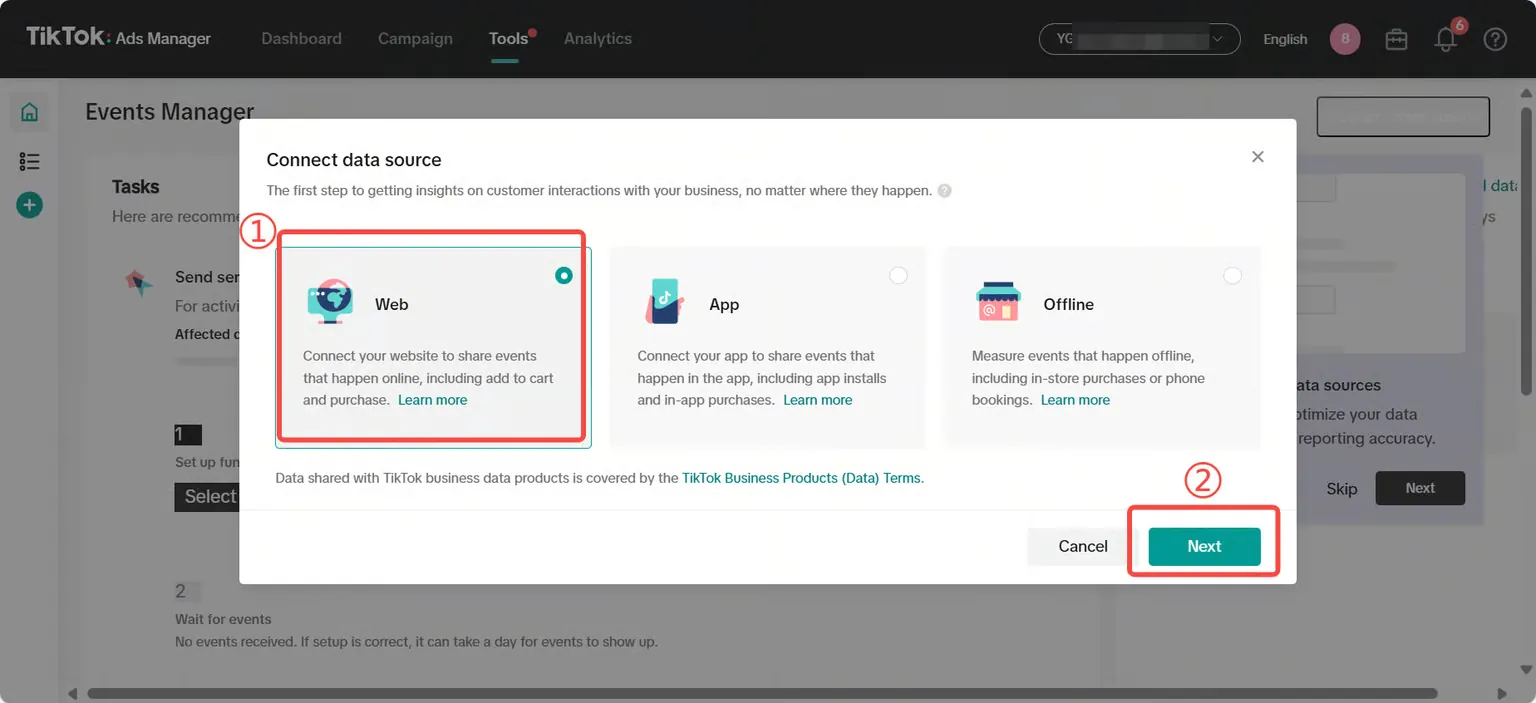
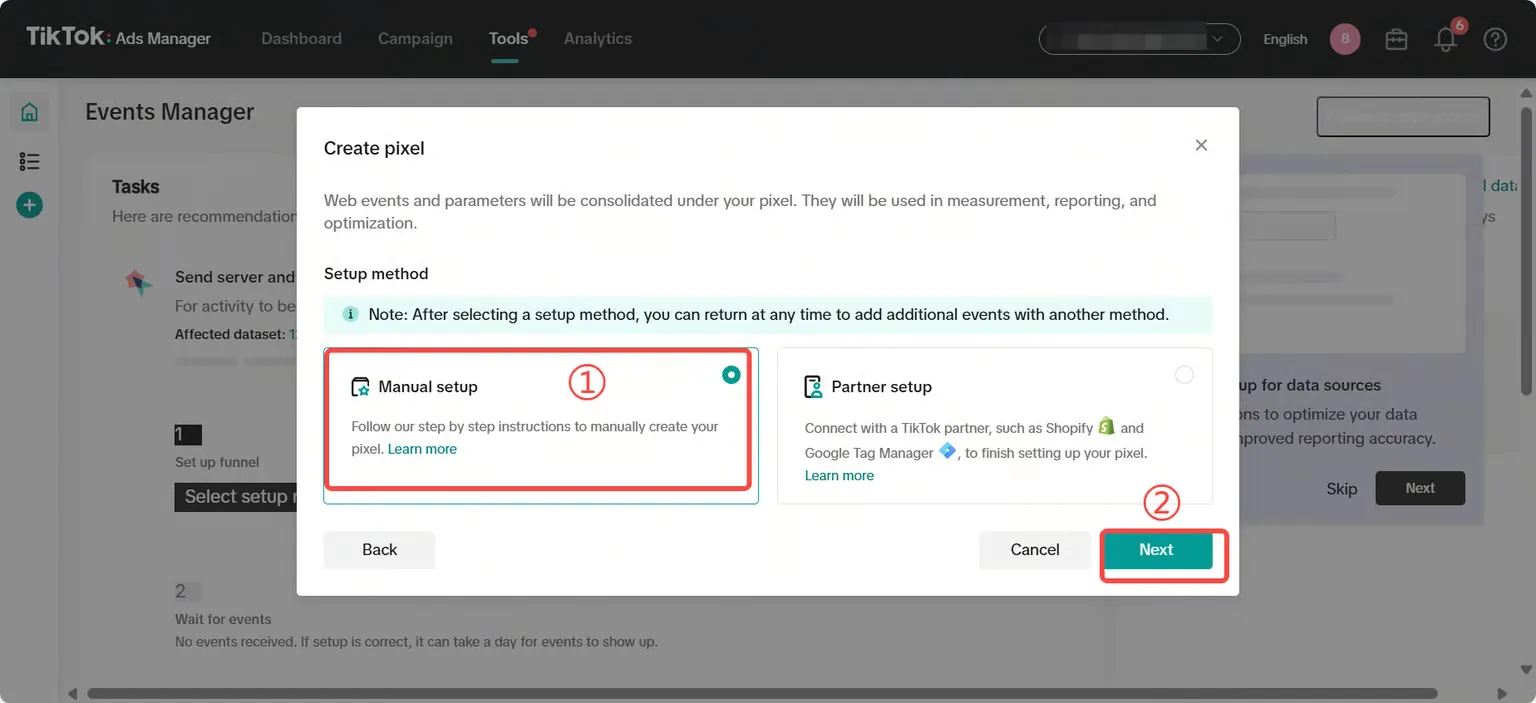
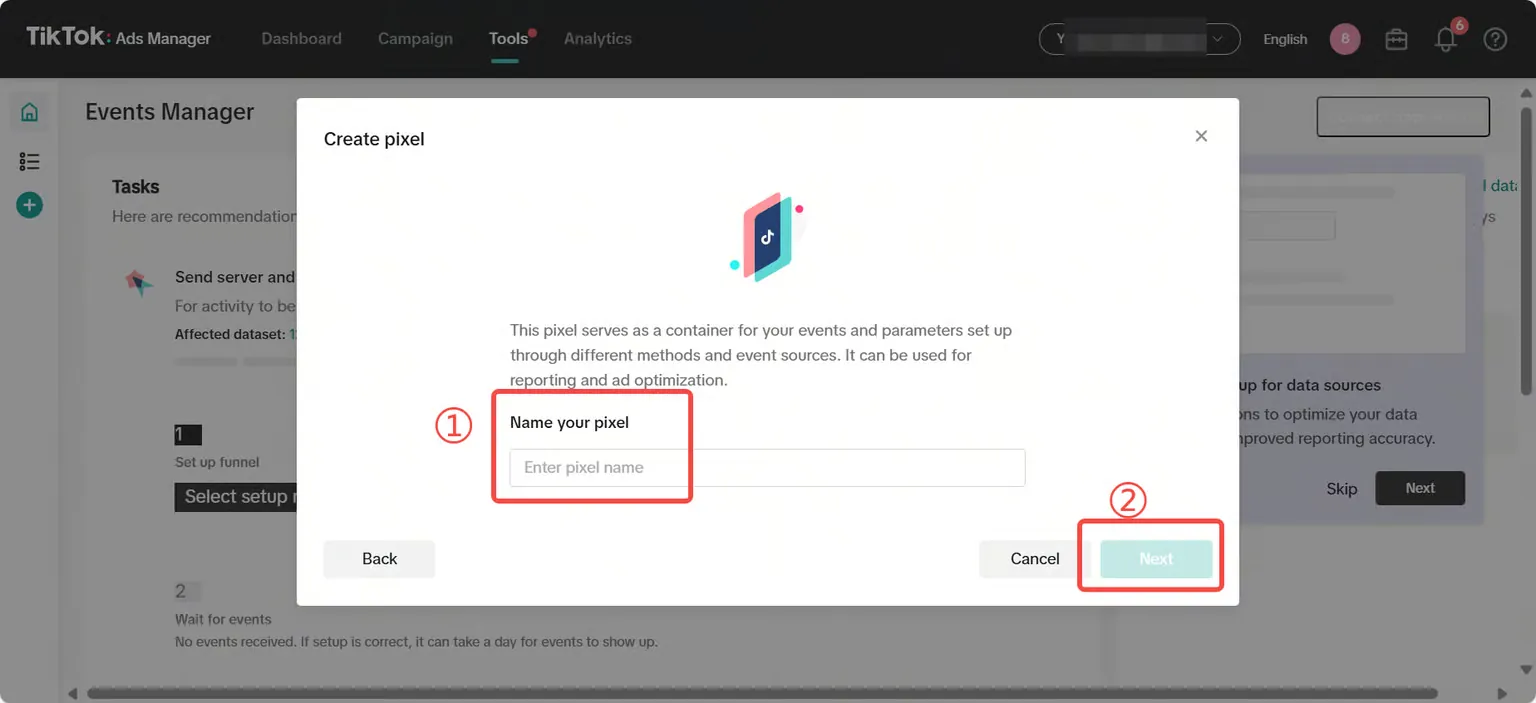
Create a Pixel name and set the Pixel-related information that needs to be returned, such as [Funnel] → [Event Return] → [Event API] → [Event Parameters], and click [Finish];
Please refer to the page instructions to set the required the Awareness.
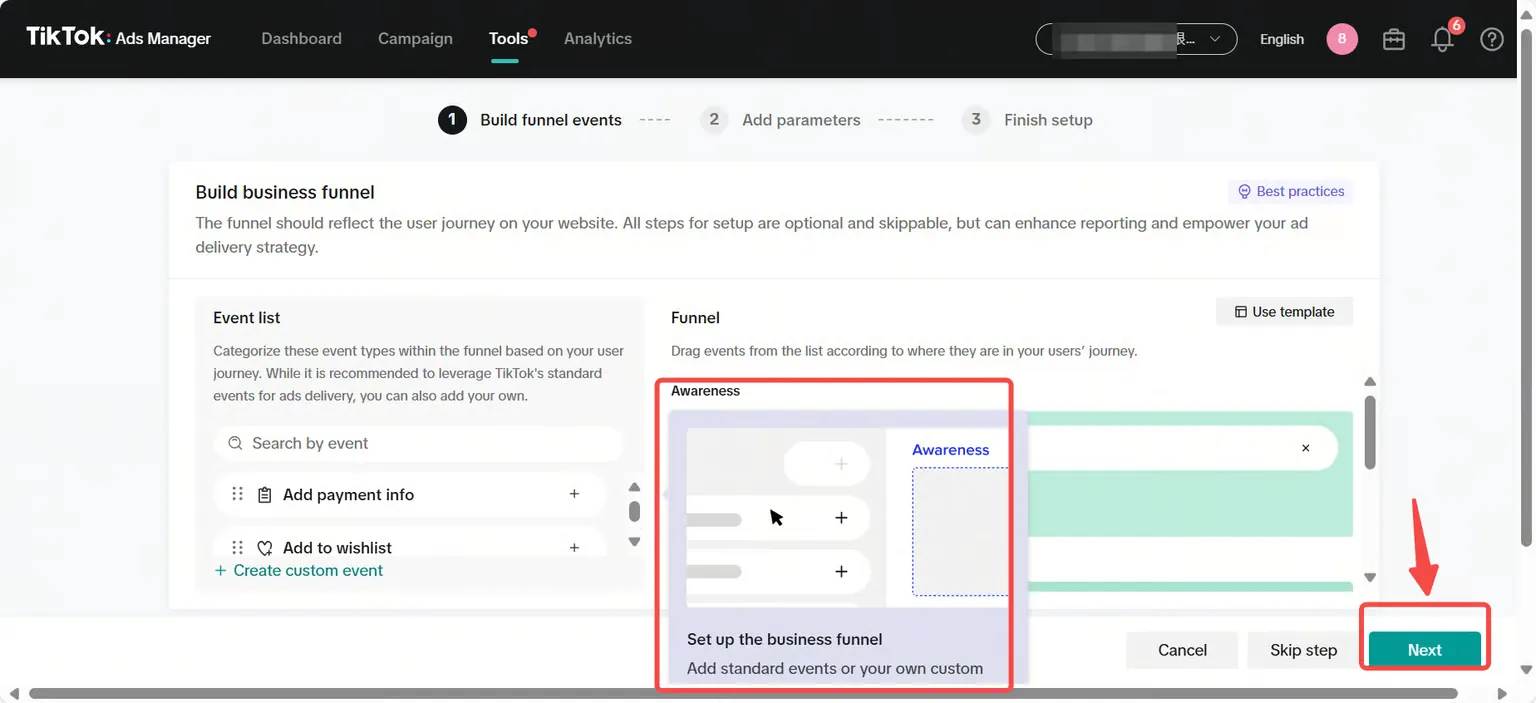
For example, the ad callback event the [add to wishlist] required by ROIBest PWA
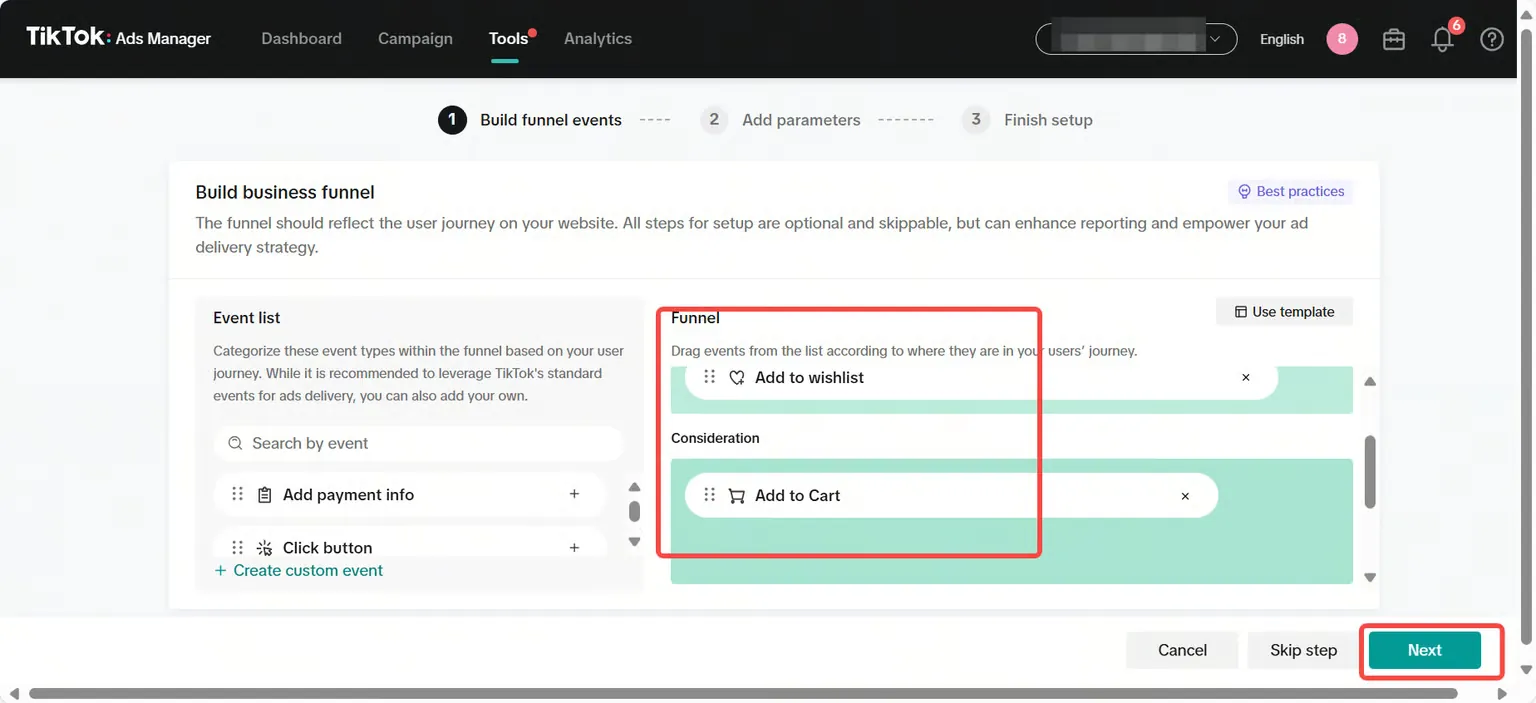
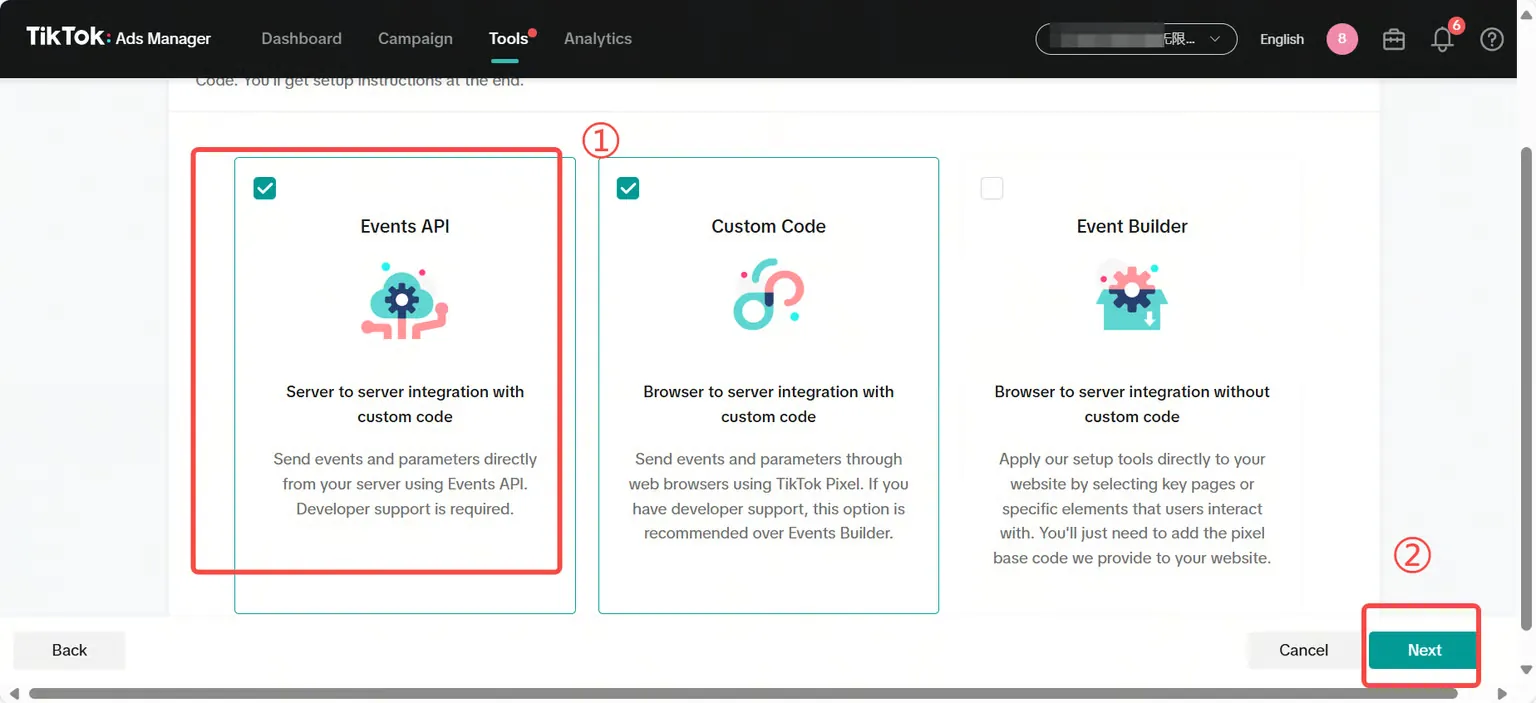
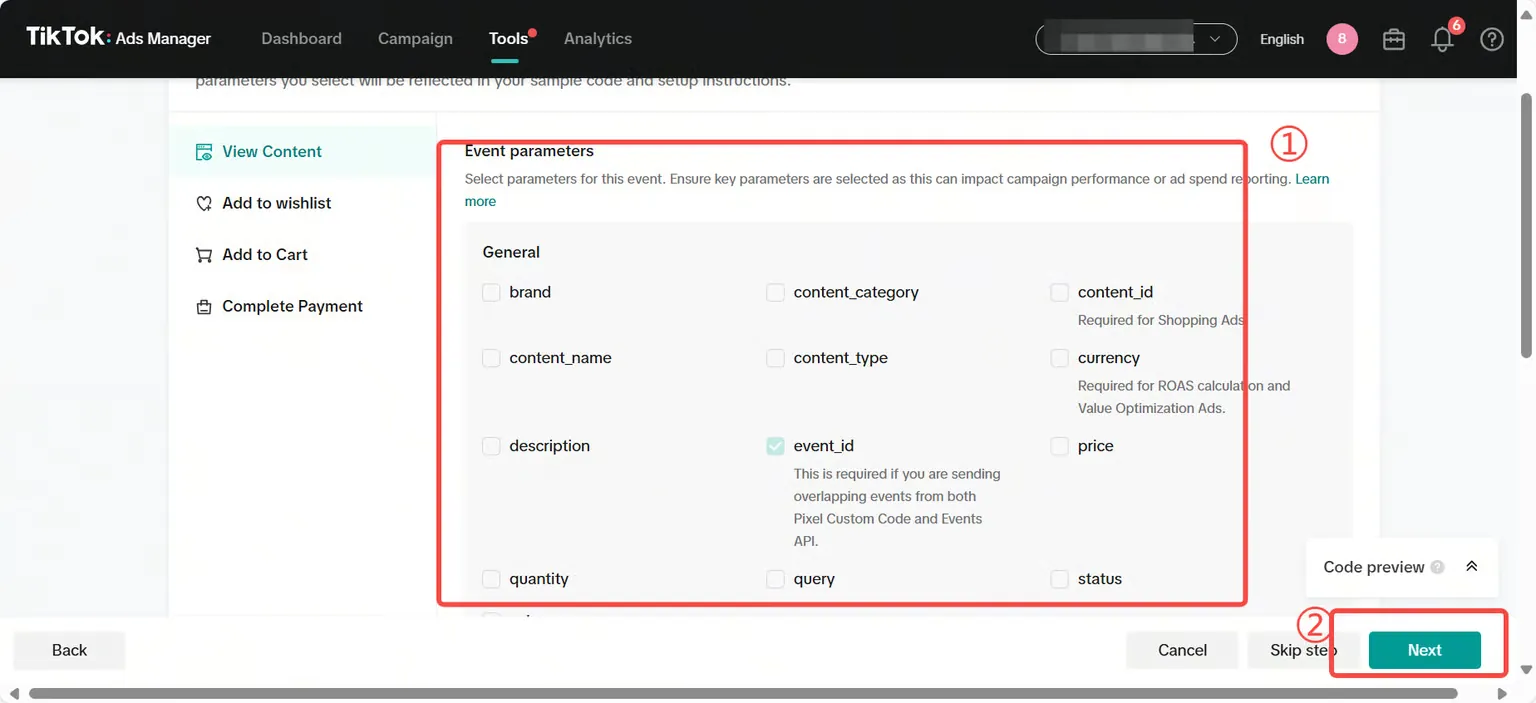
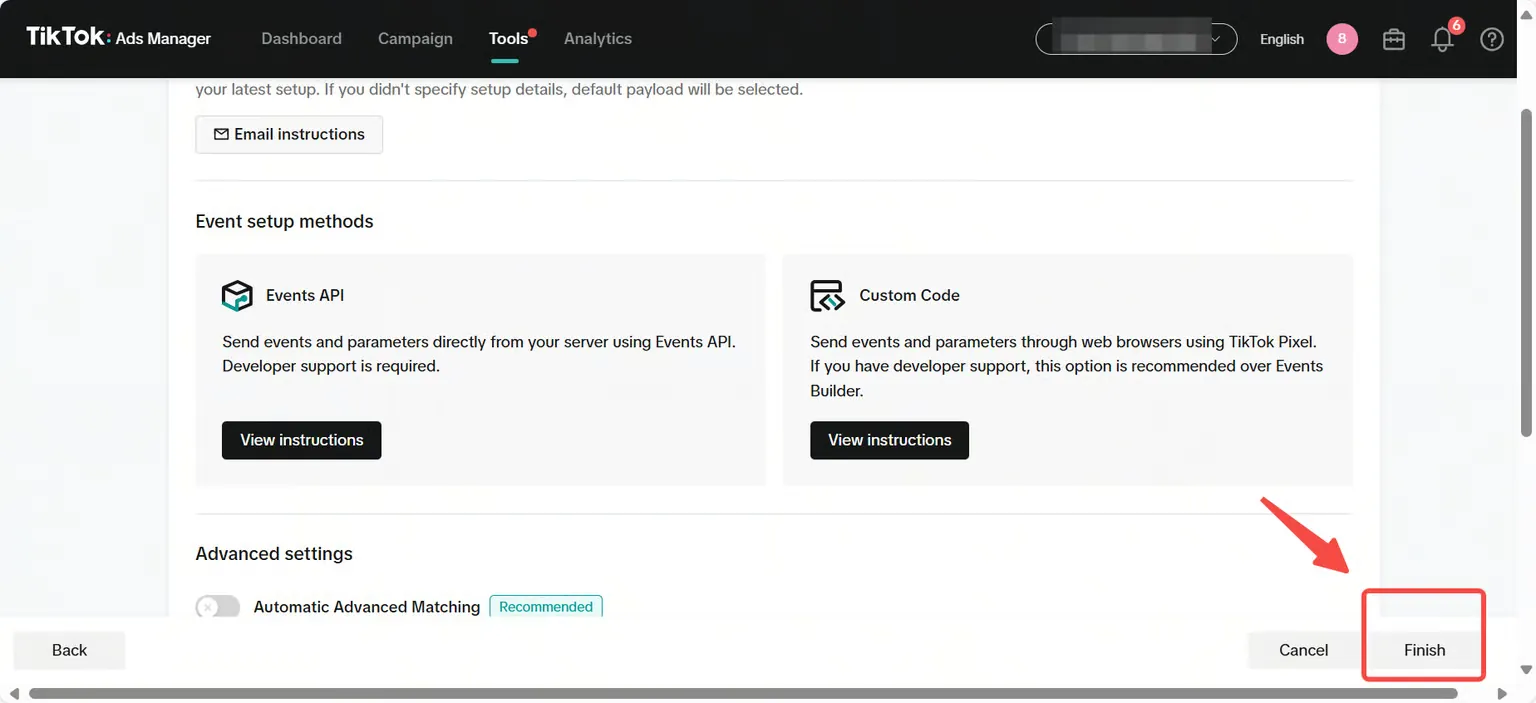
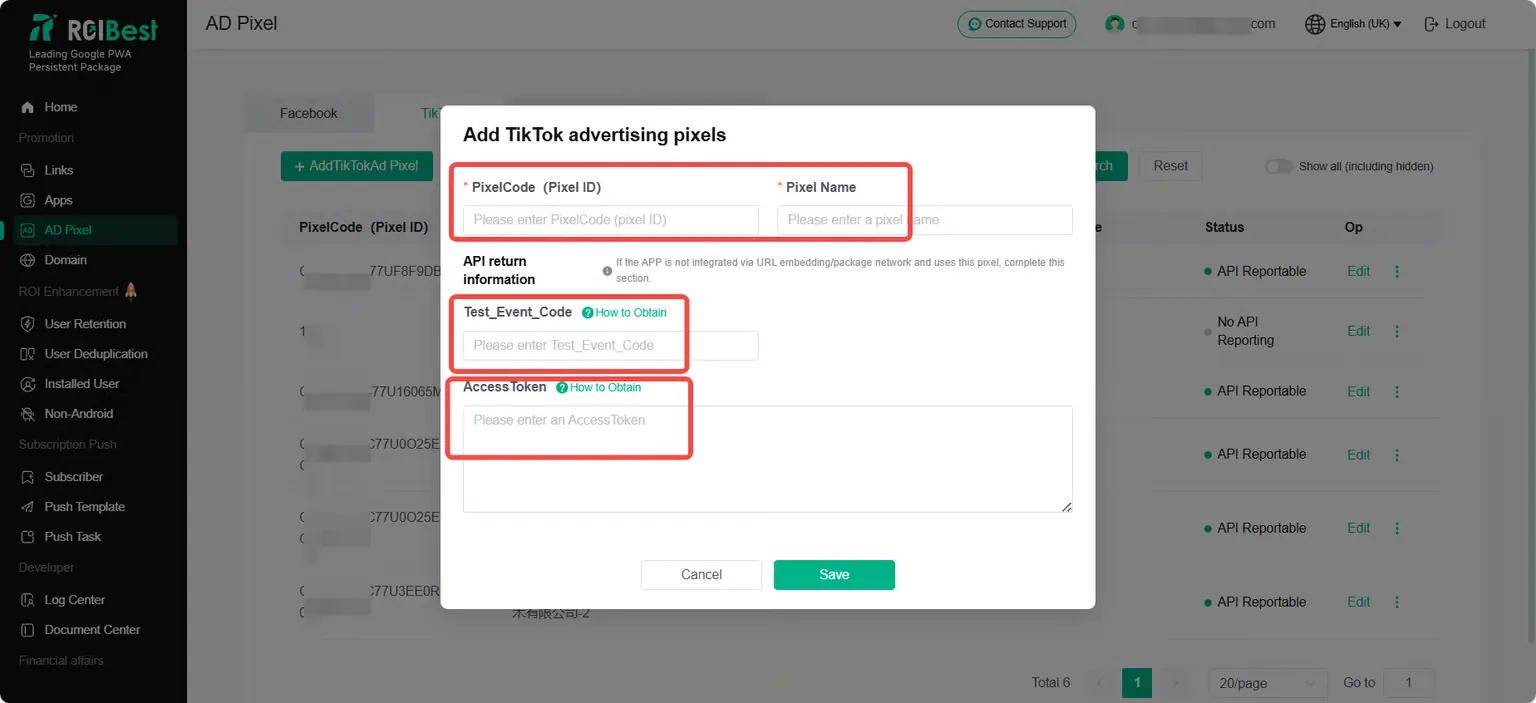
Copy the PixelCode ID and fill it into the ROIBest backend;
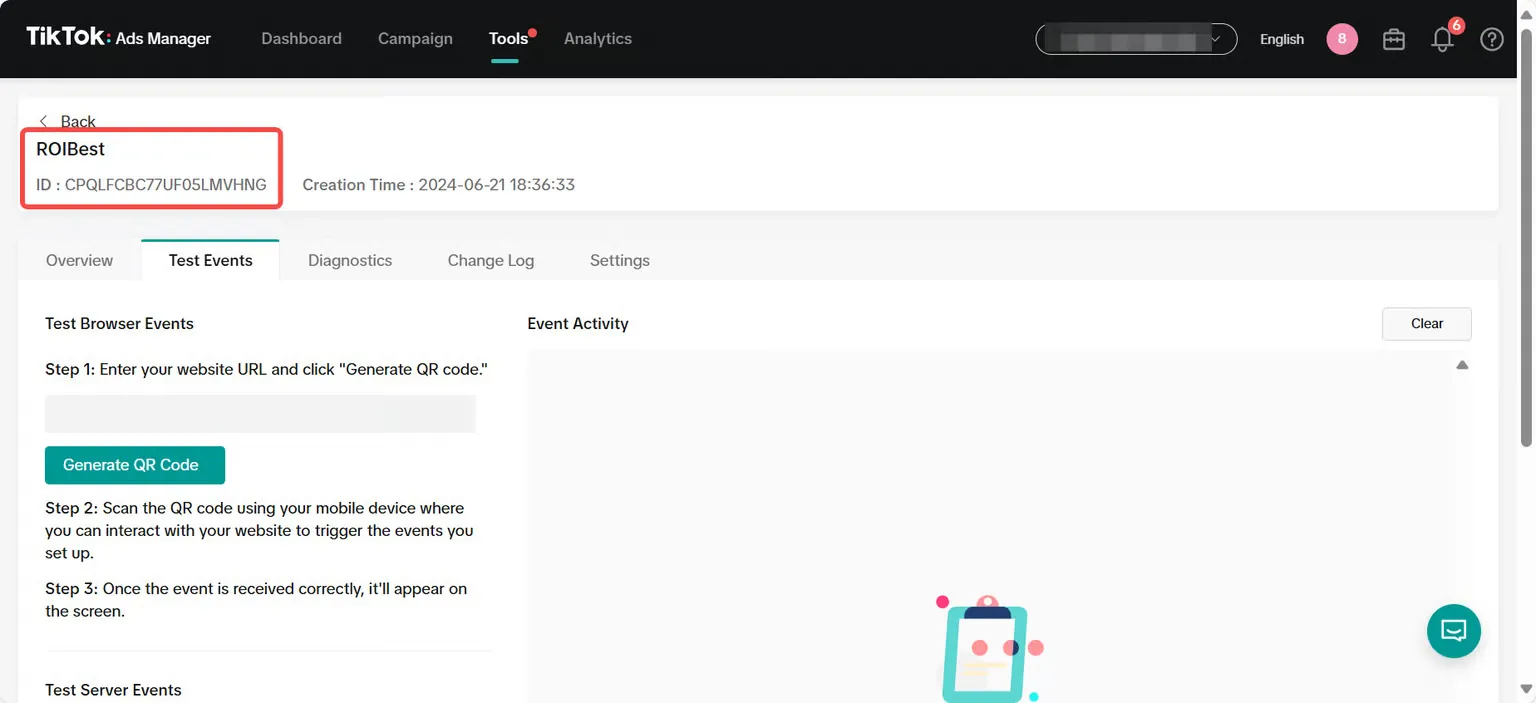
Step 3 - Get the Test Event Code;
Select [Test Events], Scroll down to the test server event, copy the test_event_code parameter in step 2, and fill it into the ROIBest backend;
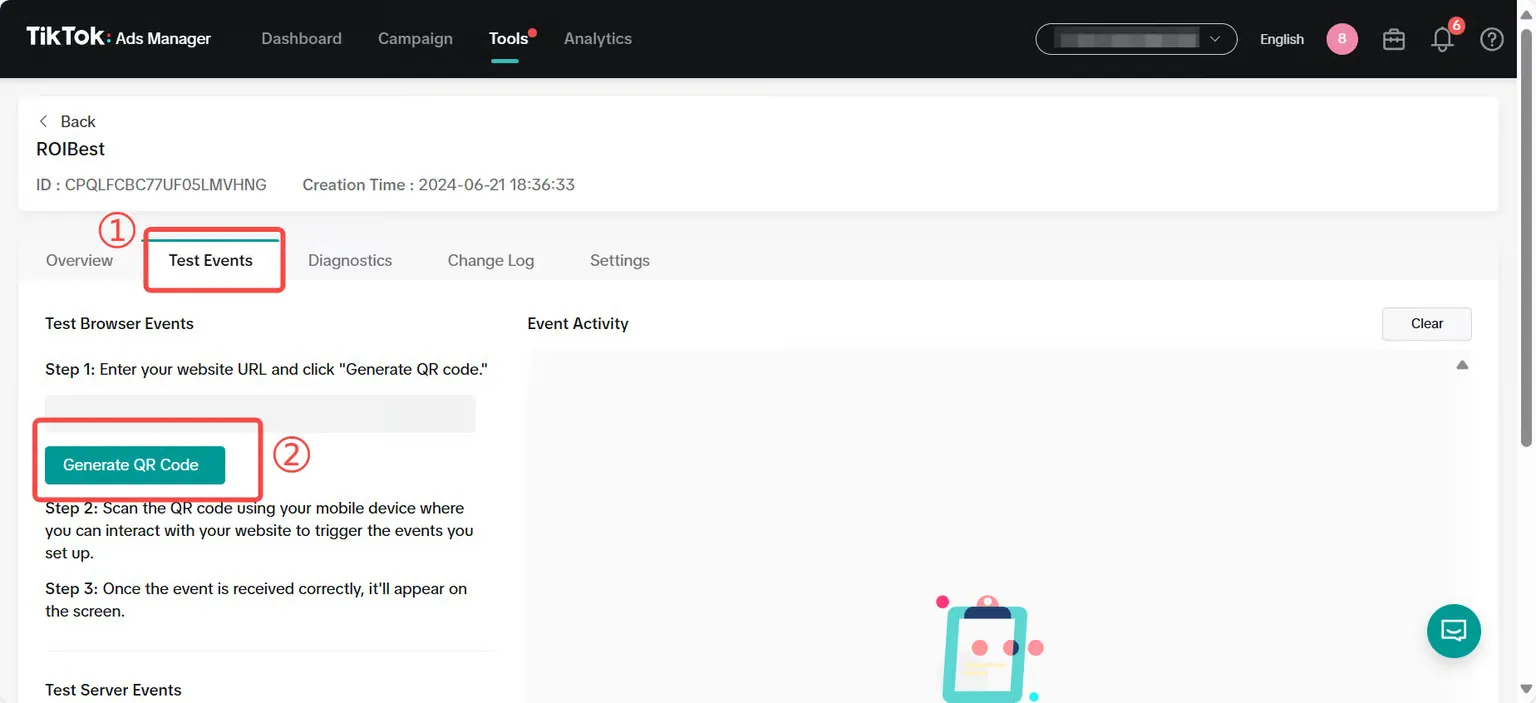
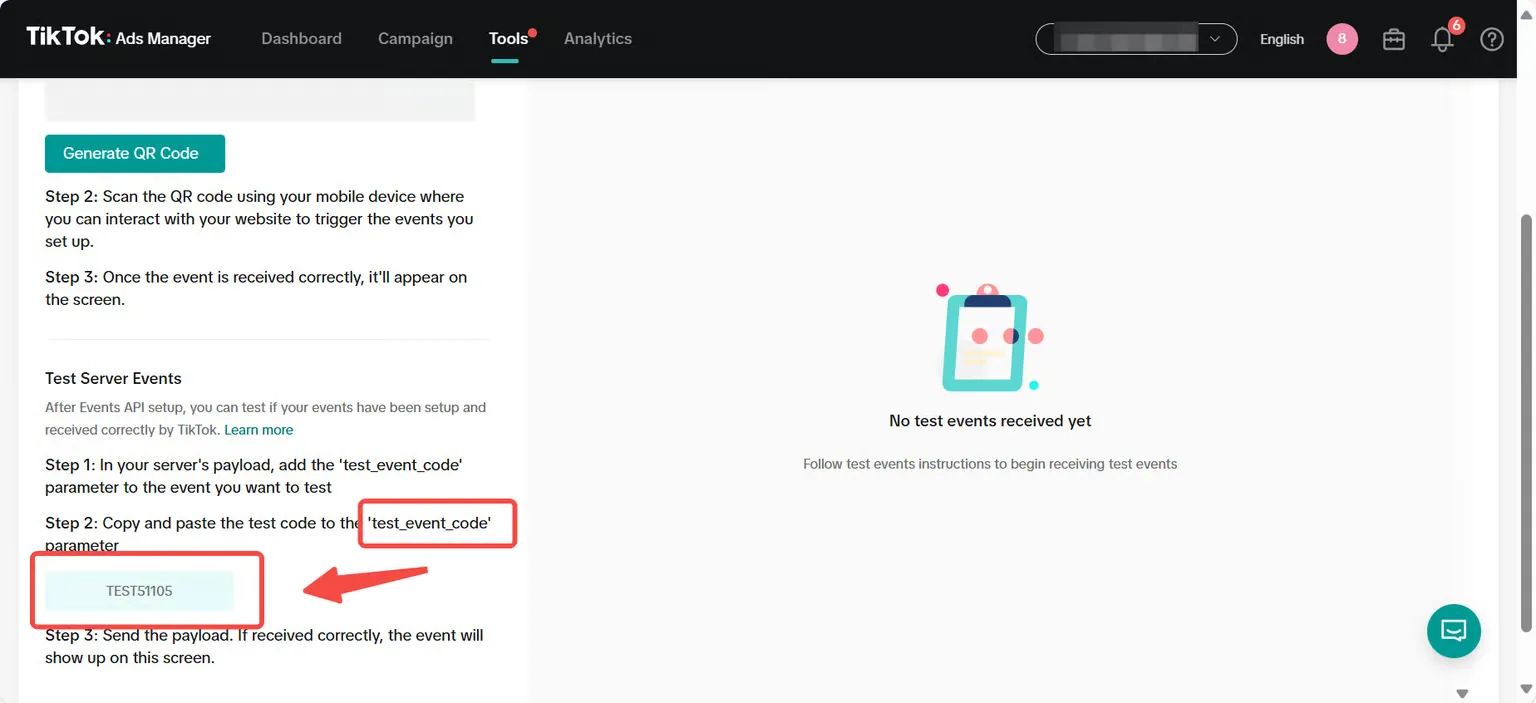
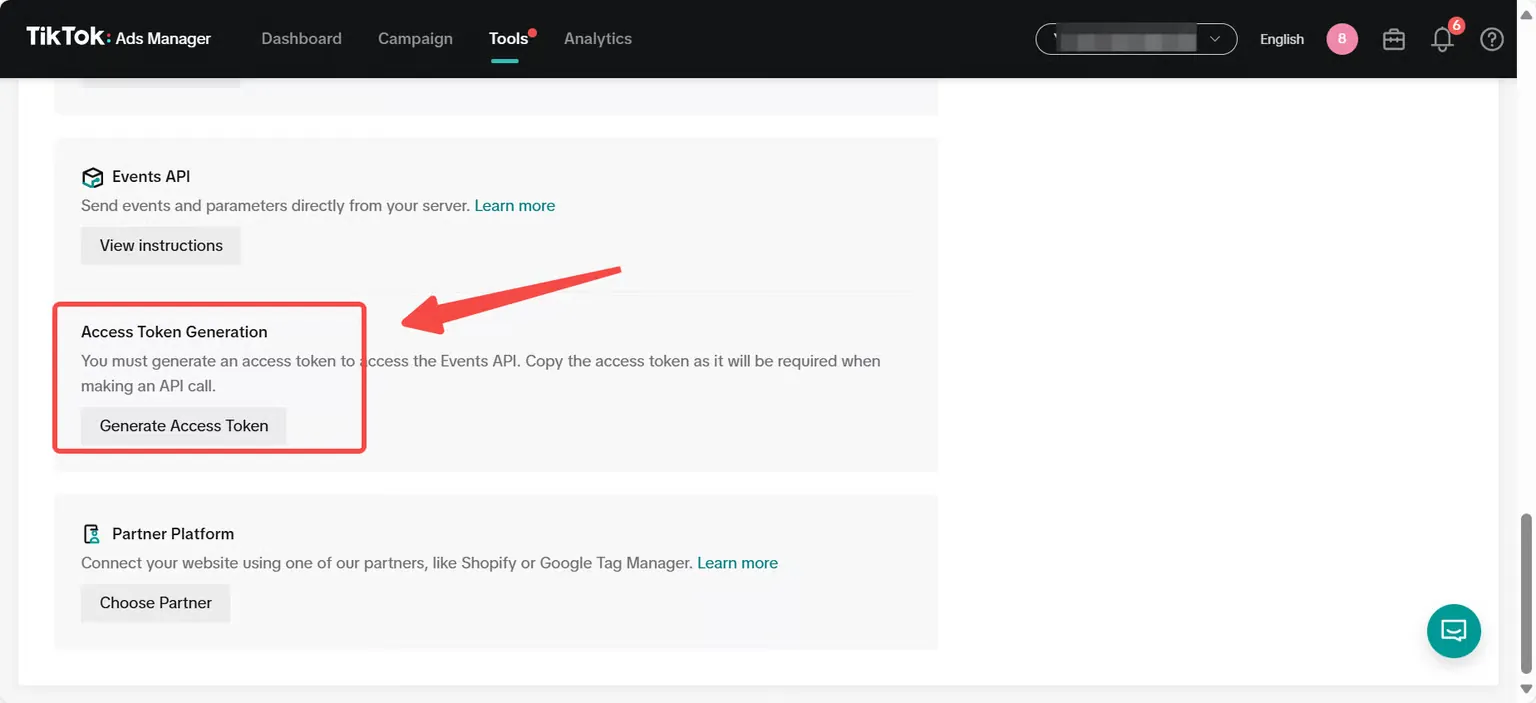
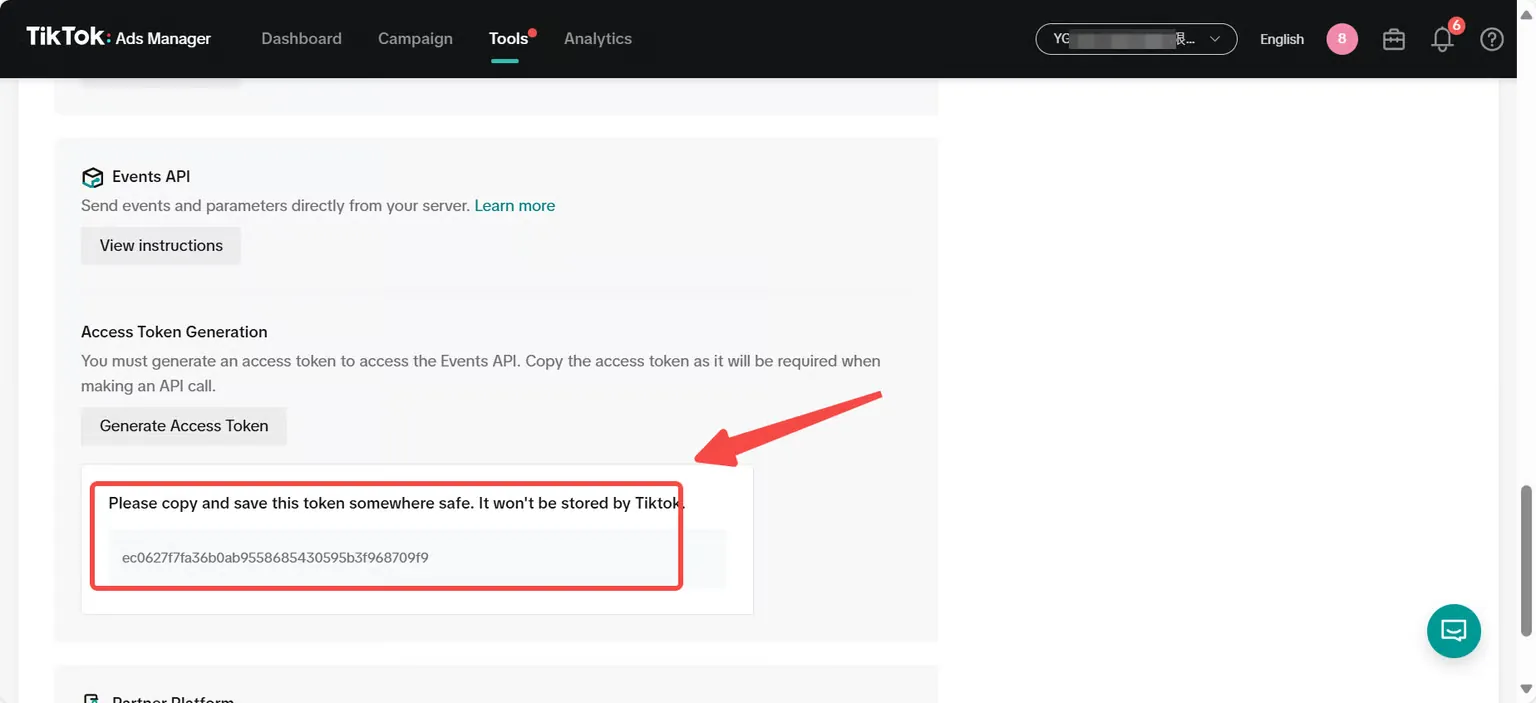
Step 4 - Get the Access Token;
Select [Tools], scroll down to [Generate Access Token], click and copy the Access Token, and fill it into the ROIBest backend;
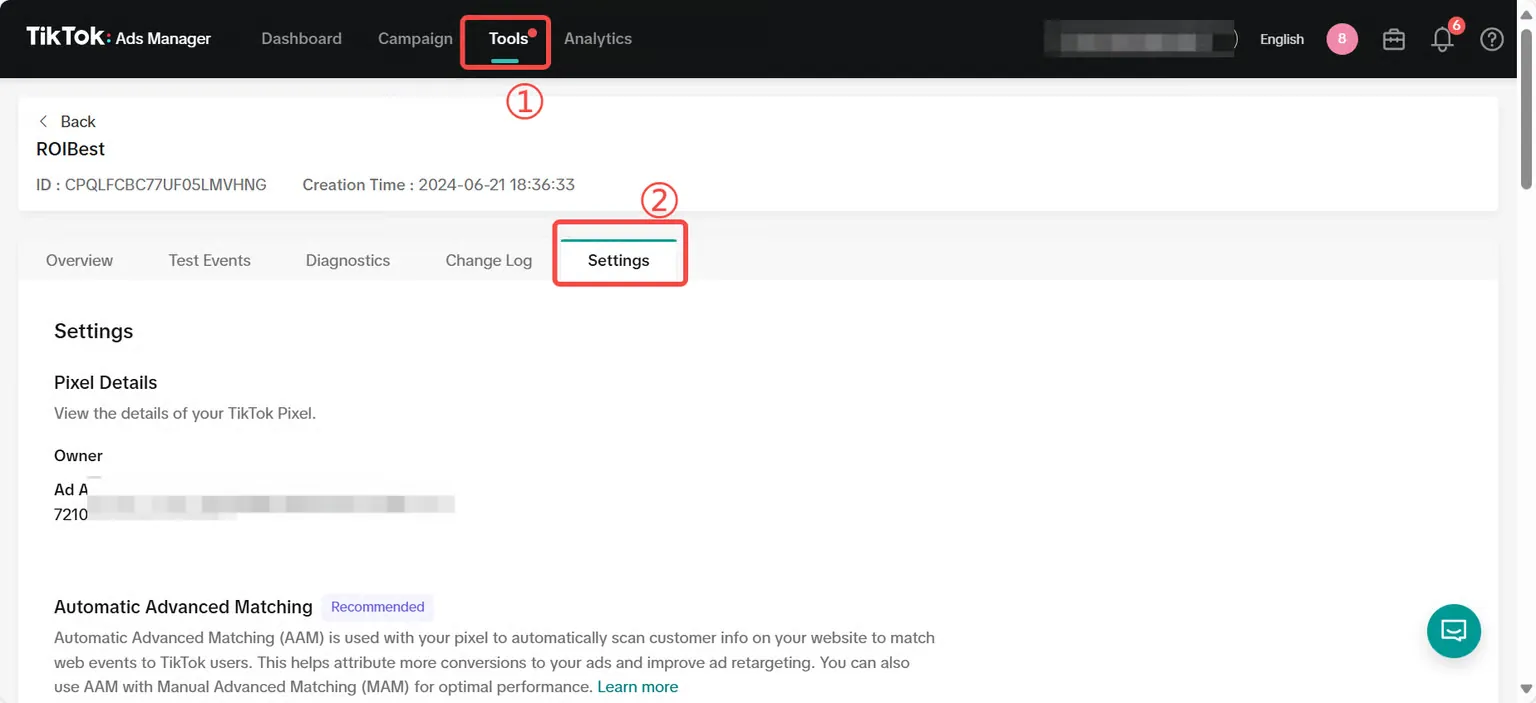
Through the above steps, you can complete the following three contents.